PACS

Zimam PACS Viewer

Advanced medical imaging in HTML5. Open a DICOM study from any device, anywhere, without installing a thing.

Diagnostic-quality DICOM in any browser

Zimam PACS pairs an industry-standard archive with a zero-footprint viewer. Every full-resolution image, every measurement, every annotation is one URL away — no plugin, no remote desktop, no shipping a workstation to the on-call radiologist.

Desktop, tablet, phone — the same interface, the same diagnostic toolset, the same study. Reads happen where the work is.

Zimam PACS

Where it earns its keep

01

Zero-footprint viewer

No installer, no plugin, no admin rights. HTML5 carries the whole experience in a modern browser.

02

Works on every device

Same UI on desktop, tablet, and phone. The IT department doesn't get a new platform to support.

03

Client-side window-leveling

Fast 16-bit greyscale windowing happens on the device — no server round-trips, no lag on the slider.

04

Multi-touch first

Pinch, pan, swipe — the touch interface is a first-class citizen, not a desktop UI squeezed onto glass.

05

3D in the browser

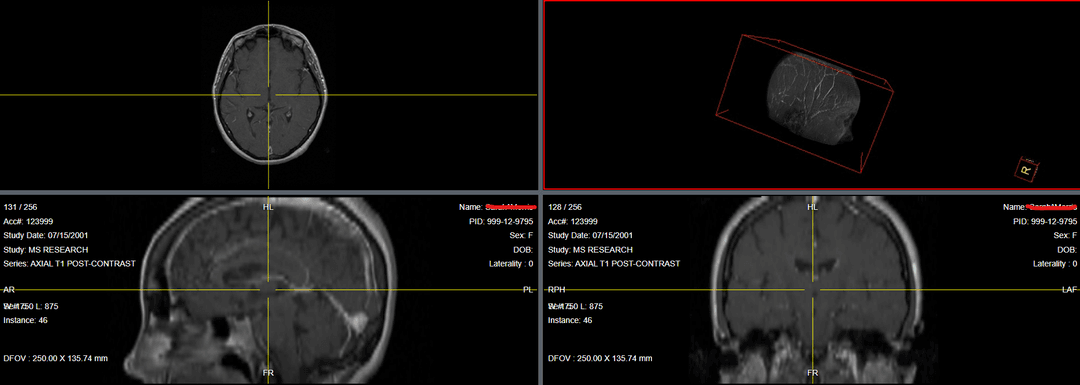
VRT, MIP, MPR and SSD volume rendering with no plugin, no remote desktop, no extra workstation.

06

Full annotation suite

Measurements, text, regions of interest, DICOM Presentation State — everything the report needs.
Technical capabilities

  • DICOMweb and WADO support
  • Client-side caching for fast reload
  • DICOM hanging protocol support
  • Interactive reference lines
  • Layout customisation for multi-series viewing
  • Cross-device synchronisation
  • Structured display support
  • Series stacking and navigation
  • Measurement and annotation tools
  • Customisable UI themes (light and dark)

Clinical tools

  • Window level / width adjustments
  • Pan, zoom, magnify
  • Series stack navigation
  • Length, angle, area measurements
  • Spy-glass tool
  • Cine player for multi-frame studies
  • Synchronisation between series
  • Hounsfield unit probe
  • Cobb angle measurement
  • Image export and capture tools

Advanced 3D, no install

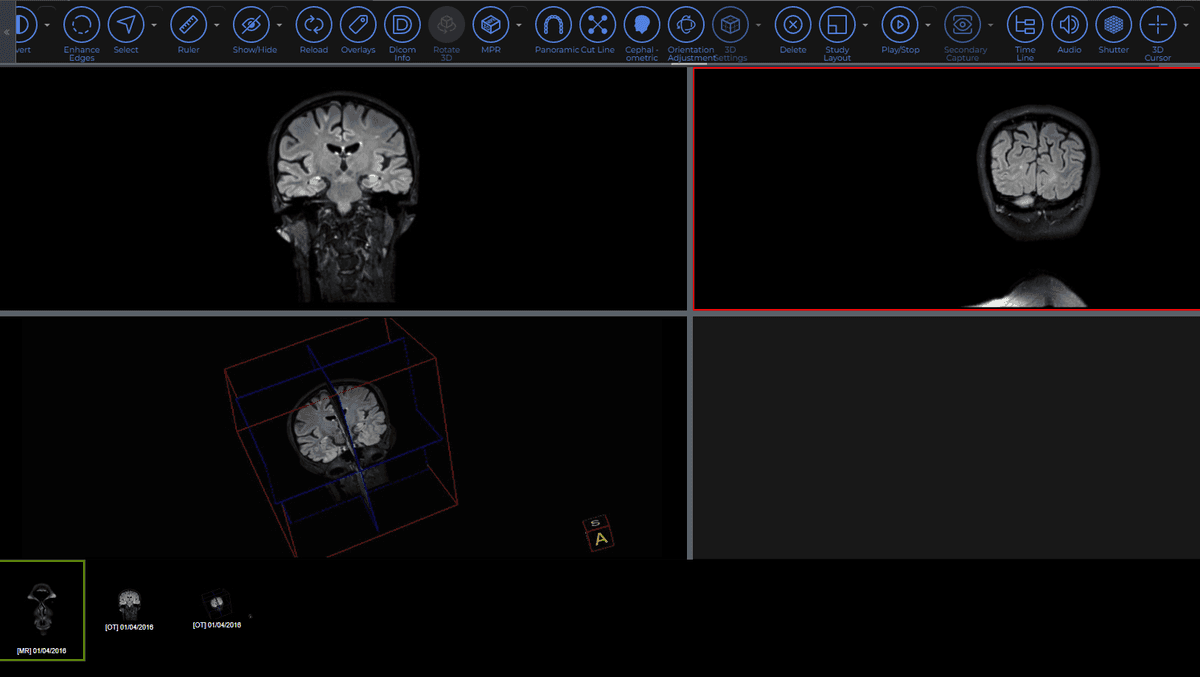
Volume rendering, multi-planar reformatting, and surface shading run directly in the browser with hardware acceleration:

  • Multiple volume types: VRT, MIP, MPR, SSD
  • Interactive controls for window level, density, and more
  • 3D cursor for synchronized MPR navigation
  • Volume caching for faster reload
  • 3D reference lines on any series
  • Customisable volume appearance settings
Zimam PACS 3D

Put diagnostic imaging where the work is.

Talk to us about a deployment that fits your network, your existing modalities, and your reading workflow.